Hotel details and bindings
Keep your main contact details in one place, then display them with the Hotel contact block or WordPress block bindings.
On this page
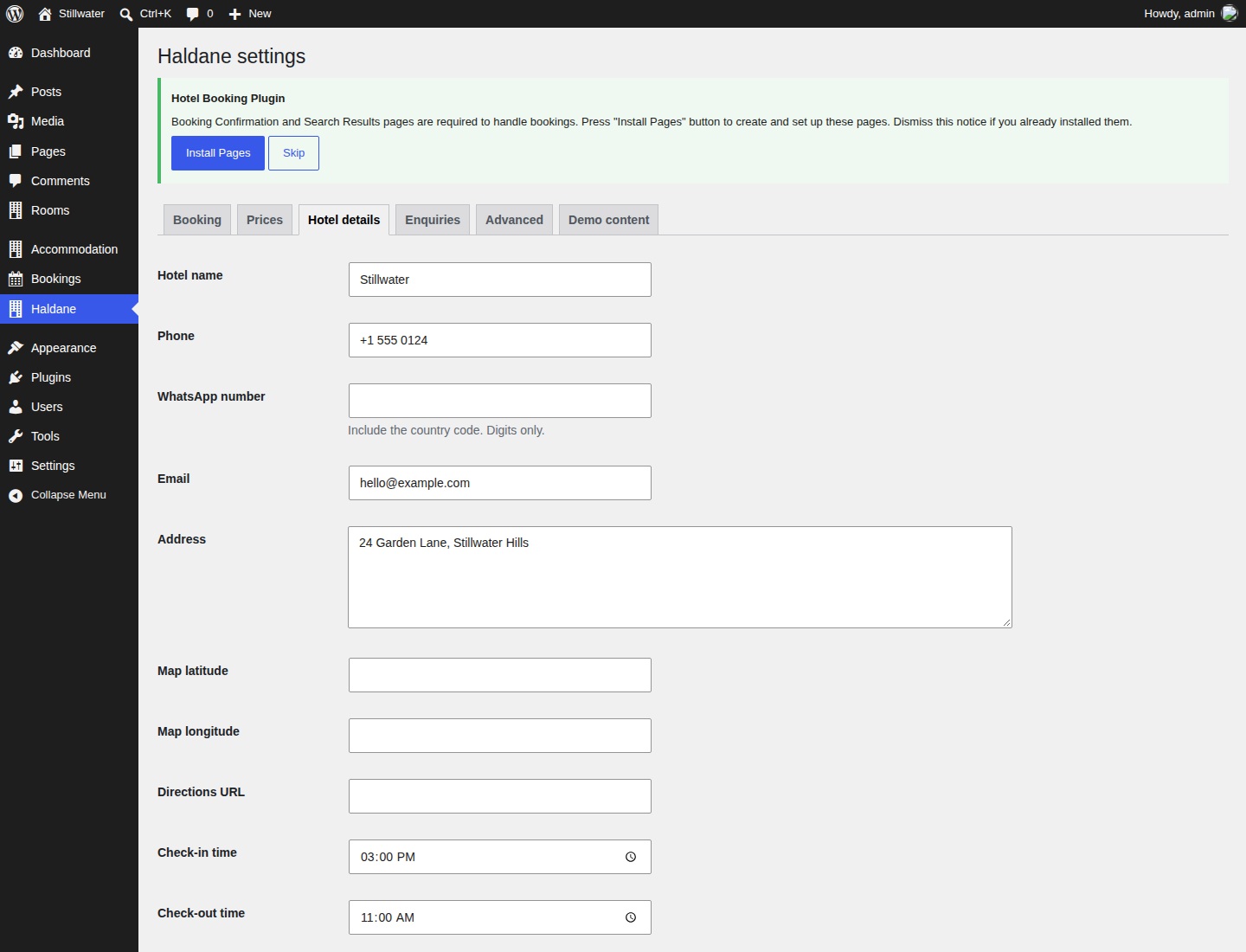
Enter your details
- Open Haldane → Hotel details.
- Enter your hotel name, public phone, email and address.
- If used, enter a WhatsApp number with its country code and digits only.
- Add your check-in and check-out times.
- Add coordinates and an optional directions URL if using the map.
- Select Save Changes.
The public hotel email is separate from the enquiry recipient in Haldane → Enquiries. Setting a hotel name here also does not change WordPress's Site Title. Update the title in Settings → General or the Site Editor.
Show contact details without code
Edit a page or template part and insert Hotel contact. It shows configured contact information and arrival times. Empty contacts are omitted. Changing the settings updates every Hotel contact block and the configured contact details in the booking dialog.
Ordinary text in theme patterns is editable sample content. It does not automatically follow these settings. Replace it manually, swap it for Hotel contact, or connect it with a binding.
Connect a Paragraph or Button with block bindings
A binding fills a core block from the hotel settings when WordPress renders it. The source is haldane/hotel. This method is useful for a phone number in a footer or a contact button. It requires Haldane Toolkit to remain active.
The following steps use the WordPress Code editor. Make a copy of the page or template first if you are unfamiliar with block markup.
- Edit the page or template part where the detail belongs.
- Open the editor's options menu and select Code editor.
- Paste one of the complete block examples below at the position you want.
- Return to the Visual editor, save and check the public page.
- Change the source setting and refresh the public page to confirm the binding.
A Paragraph showing the hotel name:
<!-- wp:paragraph {"metadata":{"bindings":{"content":{"source":"haldane/hotel","args":{"key":"name"}}}}} -->
<p>Hotel name</p>
<!-- /wp:paragraph -->
A Button whose text and link both use the public phone setting:
<!-- wp:buttons -->
<div class="wp-block-buttons">
	<!-- wp:button {"metadata":{"bindings":{"text":{"source":"haldane/hotel","args":{"key":"phone"}},"url":{"source":"haldane/hotel","args":{"key":"phone_url"}}}}} -->
	<div class="wp-block-button"><a class="wp-block-button__link wp-element-button">Call the hotel</a></div>
	<!-- /wp:button -->
</div>
<!-- /wp:buttons -->
The text in the block's HTML is a fallback. Check the rendered public page for the current bound value. A binding-aware editor interface can vary by WordPress version.
Supported keys and attributes
| Key | Value |
|---|---|
name | Hotel name. |
phone | Readable phone number. |
phone_url | A telephone link using tel:. |
whatsapp_url | The WhatsApp contact URL. |
email | Readable email address. |
email_url | An email link using mailto:. |
address | Public address. |
directions_url | Your configured directions URL, if set. |
checkin | Check-in time. |
checkout | Check-out time. |
Supported attributes are content on core Paragraph and Heading blocks, and text or url on core Button blocks. Use a contact URL key for a Button's URL, and a readable text key for its label. The directions binding uses only your configured URL; the map block can also create its own OpenStreetMap directions link.
For room-specific bindings, use the separate haldane/room source described in Rooms.